
Depo ve lojistik operasyonları, birçok şirket için operasyonel verimliliğin en kritik bileşenlerinden biridir. Ürünlerin doğru şekilde kabul edilmesi, raflara yerleştirilmesi, siparişlerin hızlı hazırlanması ve stok seviyelerinin doğru yönetilmesi şirketlerin hem maliyetlerini hem de müşteri memnuniyetini doğrudan etkiler. Bu nedenle depo süreçlerinin dijitalleşmesi ve ERP sistemleri ile birlikte çalışması artık bir tercih değil, operasyonel bir zorunluluk haline gelmiştir.
Microsoft Dynamics 365 Business Central güçlü bir ERP altyapısı sunmasına rağmen, depo çalışanlarının doğrudan sahada el terminali kullanarak işlem yapabileceği standart bir mobil operasyon altyapısı birçok işletmenin ihtiyaçlarını tam olarak karşılamayabilir. Bu nedenle şirketler çoğu zaman depo operasyonlarını hızlandırmak ve hataları azaltmak için özel geliştirmelere yönelir.
Bu blogta Business Central üzerinde geliştirdiğimiz el terminali çözümünün hangi iş süreçlerini kapsadığını, nasıl çalıştığını ve depo operasyonlarına nasıl katkı sağladığını ele alacağız.
Depo operasyonlarının önemli bir kısmı fiziksel hareketlere dayanır. Mal kabul işlemleri, raf yerleştirme, sipariş toplama, transfer operasyonları ve stok sayımı gibi işlemler doğrudan depo sahasında gerçekleşir.
Geleneksel yöntemlerde bu işlemler çoğu zaman şu araçlarla yürütülür:
Bu yaklaşım birkaç temel sorunu beraberinde getirir. Öncelikle işlemler iki kez yapılır. Depo çalışanı ürünü toplar, daha sonra bir ofis çalışanı veya aynı kişi bu işlemi ERP sistemine girer. Bu durum zaman kaybına neden olur. Ayrıca manuel girişler hatalara açık olduğu için stok yanlışlıkları ortaya çıkabilir.
El terminali kullanımı bu sorunu ortadan kaldırır. Depo çalışanı barkodu okuttuğu anda işlem doğrudan ERP sistemine kaydedilir. Böylece depo operasyonları gerçek zamanlı olarak sistem üzerinde görünür hale gelir.
Business Central, stok ve depo yönetimi açısından oldukça güçlü bir veri modeli sunar. Ancak sahada çalışan personelin mobil cihazlar üzerinden doğrudan işlem yapabilmesi için çoğu zaman ek geliştirmelere ihtiyaç duyulur.
Bu nedenle birçok işletme depo operasyonlarını desteklemek için el terminali çözümlerine yönelmektedir.
B2F Business Central ile el terminali uygulaması sayesinde depo çalışanları aşağıdaki işlemleri doğrudan sahada gerçekleştirebilir:
Bu yaklaşım depo operasyonlarının ERP sistemi ile tamamen bütünleşik çalışmasını sağlar.
Geliştirdiğimiz el terminali çözümü Business Central ile doğrudan çalışacak şekilde tasarlanmıştır.( Bir API veya farklı bir entegrasyon yoktur) Sistem barkod okuyucu özellikli el terminalleri üzerinden çalışan bir mobil arayüz ile depo operasyonlarının ERP sistemine doğrudan kaydedilmesini sağlar.
Kullanıcılar Zebra, Honeywell veya Android tabanlı barkod okuyucu cihazlar üzerinden sisteme bağlanarak depo işlemlerini gerçekleştirebilir.
Mobil arayüz, depo çalışanlarının hızlı işlem yapabilmesi için oldukça sade ve pratik olacak şekilde tasarlanmıştır. Ana ekranda depo operasyonları için gerekli olan temel modüller yer alır.
Bu modüller genellikle şu işlemleri kapsar:
Her modül depo operasyonlarının adım adım ilerlemesini sağlayacak şekilde tasarlanmıştır.
Depo operasyonlarının ilk adımı genellikle mal kabul işlemidir. Satın alma siparişine bağlı olarak depoya gelen ürünlerin sisteme doğru şekilde kaydedilmesi gerekir.
El terminali ile mal kabul süreci oldukça basit hale gelir.
Depo çalışanı şu adımları izler:
Barkod okutulduğunda sistem ilgili ürünün sipariş satırını kontrol eder. Eğer okunan ürün siparişte yer almıyorsa kullanıcı uyarılır. Aynı şekilde beklenen miktardan farklı bir giriş yapılırsa sistem bunu da kontrol eder.
Bu mekanizma hatalı mal kabul işlemlerini önemli ölçüde azaltır.
Mal kabul işlemi tamamlandıktan sonra ürünlerin depo lokasyonlarına yerleştirilmesi gerekir. El terminali bu süreci de oldukça hızlı hale getirir.
Depo çalışanı ürün barkodunu okutur ve daha sonra ürünün yerleştirileceği rafın barkodunu okutur. Sistem bu bilgiyi kaydederek ürünün hangi lokasyonda bulunduğunu Business Central içinde günceller.
Bu işlem sonucunda stok hareketleri sistemde anlık olarak oluşur.
Sipariş toplama depo operasyonlarının en yoğun süreçlerinden biridir. Özellikle e-ticaret veya yüksek hacimli dağıtım yapan şirketlerde sipariş toplama işlemlerinin hızlı ve hatasız yapılması kritik önem taşır.
El terminali ile sipariş toplama süreci şu şekilde ilerler:
Barkod doğrulama sayesinde yanlış ürün toplama ihtimali büyük ölçüde ortadan kalkar.
Ayrıca sistem depo lokasyonlarına göre bir rota oluşturabilir. Böylece depo çalışanı gereksiz hareket yapmadan siparişleri daha hızlı hazırlayabilir.
Depolar arası veya depo içi transfer işlemleri de el terminali üzerinden yapılabilir.
Kullanıcı transfer işlemini başlattığında sistem ilgili transfer siparişini gösterir. Depo çalışanı ürün barkodunu okutur ve ürünün taşınacağı yeni lokasyonu seçer.
Bu işlem sonucunda Business Central içinde transfer hareketi otomatik olarak oluşur.
Bu yaklaşım depo içi stok hareketlerinin sistemde doğru şekilde takip edilmesini sağlar.
Stok sayımı birçok şirket için zaman alan ve zor bir süreçtir. El terminali kullanımı bu süreci önemli ölçüde kolaylaştırır.
Depo çalışanı raf barkodunu ve ürün barkodunu okutarak sayım miktarını girer. Bu veriler doğrudan Business Central sistemine aktarılır.
Sayım tamamlandığında sistem mevcut stok ile sayılan stok arasındaki farkları otomatik olarak hesaplar. Böylece sayım farkları hızlı şekilde analiz edilebilir.
El terminali çözümünde barkod yönetimi önemli bir rol oynar. Sistem farklı barkod yapılarını destekleyecek şekilde tasarlanmıştır.
Desteklenen barkod türleri genellikle şunlardır:
Bu yapı sayesinde ürünlerin izlenebilirliği korunur ve depo operasyonları daha güvenilir hale gelir.
Bazı sektörlerde ürünlerin seri veya lot bazında takip edilmesi zorunludur. El terminali çözümü bu senaryoları da destekleyecek şekilde geliştirilmiştir.
Seri veya lot takipli ürünlerde kullanıcı barkod okutma sırasında ilgili seri veya lot bilgisini sisteme kaydedebilir.
Bu yaklaşım özellikle şu sektörlerde büyük önem taşır:
Bu sayede ürünlerin izlenebilirliği depo operasyonlarının her aşamasında korunur.
El terminali çözümleri özellikle depo operasyonlarının yoğun olduğu şirketler için büyük avantaj sağlar.
Özellikle şu sektörlerde önemli faydalar sağlar:
Bu sektörlerde depo operasyonlarının hızlanması doğrudan müşteri memnuniyetine yansır.
Depo operasyonlarının dijitalleşmesi modern işletmeler için kritik bir konudur. ERP sistemleri yalnızca finansal süreçleri değil, sahadaki fiziksel operasyonları da yönetebilmelidir.
Microsoft Dynamics 365 Business Central üzerine geliştirilen el terminali çözümü depo çalışanlarının doğrudan sahada işlem yapmasını sağlayarak operasyonları hızlandırır ve hataları azaltır.
Barkod doğrulama, gerçek zamanlı stok güncellemeleri ve mobil kullanım sayesinde depo süreçleri daha verimli hale gelir. Bu tür çözümler ERP sistemlerinin sahadaki operasyonlarla tam bütünleşik çalışmasını sağlayarak işletmelere önemli bir rekabet avantajı sunar.
Take control of your procurement process with the B2F Purchase Request Management App. Designed for seamless integration with Microsoft Business Central, this app streamlines purchase request creation, tracking, and approval. Empower your team with an intuitive interface, reduce manual errors, and ensure faster approvals. Simplify procurement and focus on what matters most—your business growth!
B2F Purchase Request Management is a powerful app designed to streamline and simplify your purchase request process within Microsoft Business Central. It enables users to create, submit, and track purchase requests effortlessly while ensuring smooth approval workflows. Say goodbye to paperwork and manual follow-ups—B2F Purchase Request Management enhances transparency, saves time, and boosts efficiency in your procurement operations.

Managing loans is a critical task that affects cash flow, financial planning, and overall business health. B2F Loan Account Management automates complex processes, helping businesses accurately track and manage loans across all stages— from initial setup to final repayment. By leveraging the full power of Business Central, users can centralize loan data, manage risks, and enhance decision-making within a familiar interface.
Intuitive Interface: Designed for Business Central users, our module offers a user-friendly interface to easily manage loan accounts and access essential loan information.
Flexible Setup and Customization: Create and update loan terms, rates, and schedules to reflect changing financial conditions, all within a centralized platform.
Detailed Tracking: Monitor loan usage dates, installment periods, and fiscal year options, ensuring accurate reporting and transparency.

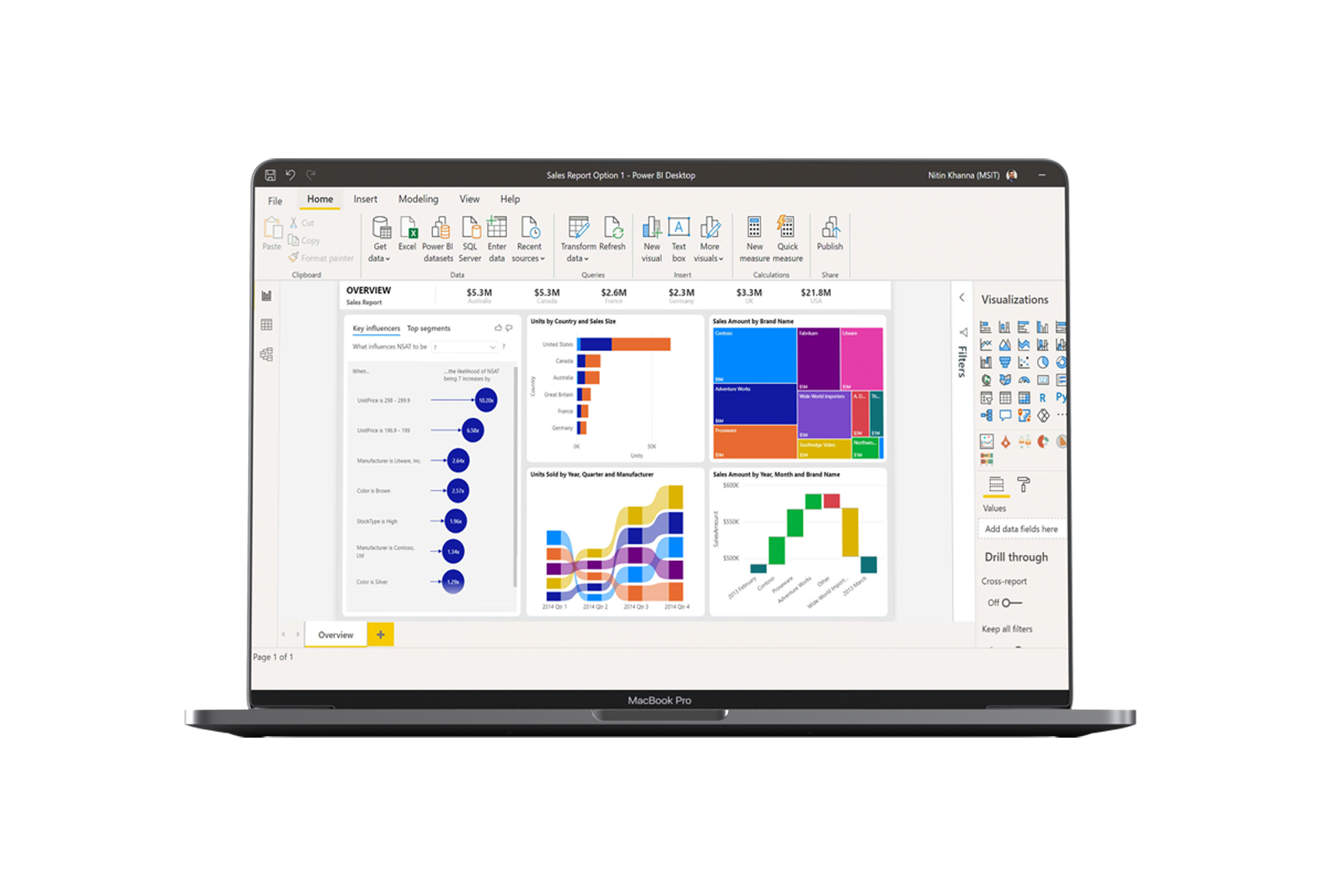
Custom Payment Schedules: Set up payment plans to match cash flow needs, including the ability to specify payment dates, amounts, and frequencies.
Automated Expense Accruals: Record expenses with flexible accrual methods—whether based on future periods, upon payment, or specific payment dates— to align with your business’s unique financial strategies.
Insightful Reporting: Generate detailed reports on loan performance, repayment status, outstanding balances, and interest accrual, supporting effective decision-making.
Data Analytics for Forecasting: Use analytics tools to track changes in loan accounts and identify trends over time, enabling proactive financial planning and strategy.
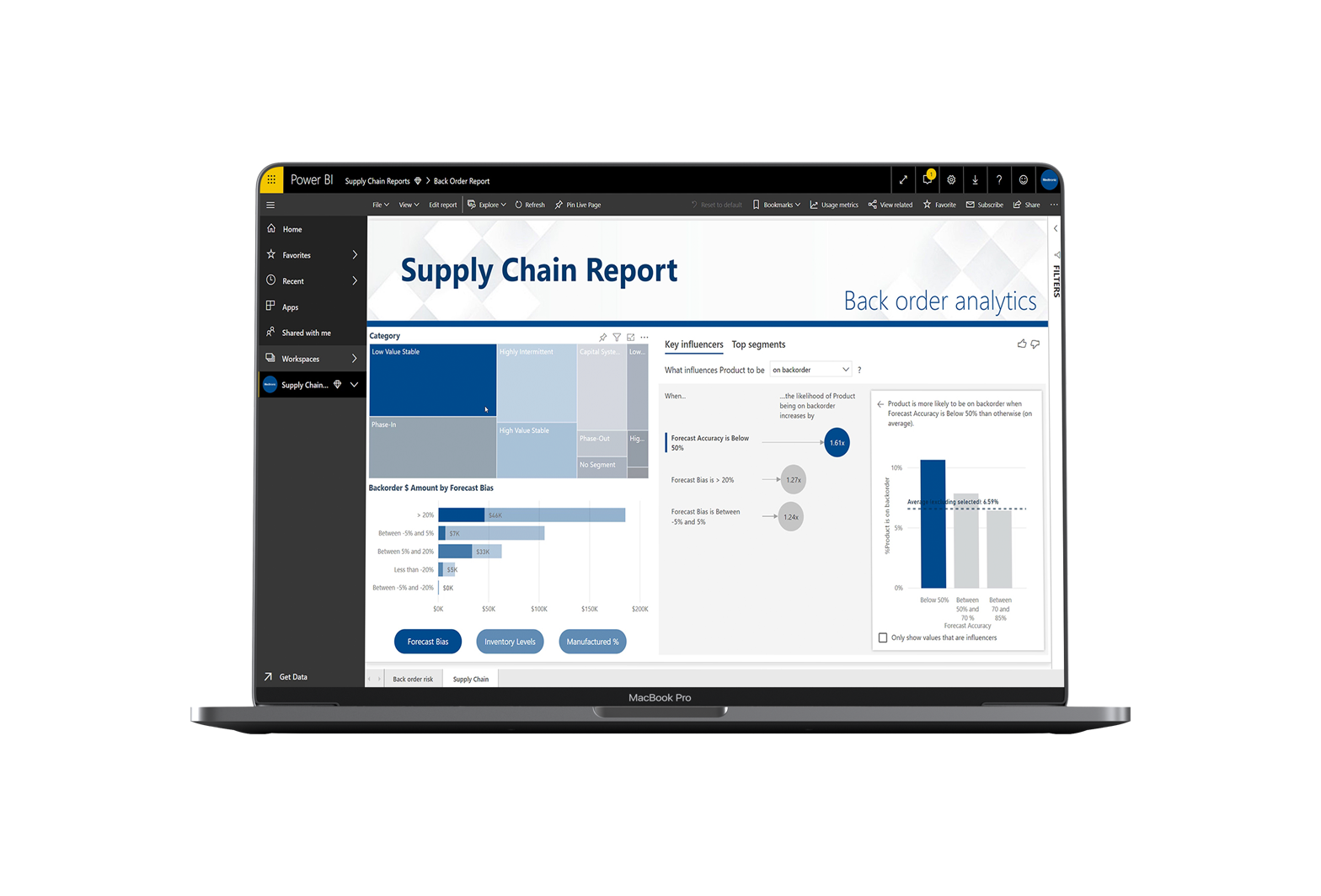

Unified Data: Integrate seamlessly with Business Central for a comprehensive view of all loan obligations. Eliminate data silos and ensure accurate, consistent information across your financial systems.
Secure Transactions: Maintain data integrity and security with secure channels for communication with financial institutions.
B2F Loan Account Management is designed with regulatory compliance in mind. By automating compliance checks and integrating essential regulatory requirements, this module reduces risk and helps businesses avoid penalties. With built-in tools that support adherence to financial regulations, your team can operate confidently, focusing on financial health rather than administrative hurdles.
Take control of your procurement process with the B2F Purchase Request Management App. Designed for seamless integration with Microsoft Business Central, this app streamlines purchase request creation, tracking, and approval. Empower your team with an intuitive interface, reduce manual errors, and ensure faster approvals. Simplify procurement and focus on what matters most—your business growth!
B2F Purchase Request Management is a powerful app designed to streamline and simplify your purchase request process within Microsoft Business Central. It enables users to create, submit, and track purchase requests effortlessly while ensuring smooth approval workflows. Say goodbye to paperwork and manual follow-ups—B2F Purchase Request Management enhances transparency, saves time, and boosts efficiency in your procurement operations.

The B2F Purchase Request Management App is your ultimate solution for hassle-free procurement. Tailored for Microsoft Business Central, it offers an intuitive interface, customizable workflows, and real-time tracking to keep your purchase requests organized and efficient. With automated processes and reduced manual effort, you’ll save time, minimize errors, and improve collaboration across your team.
Easy Setup: Create purchase requests using the “Outstanding Purchase Requests” interface, tailored for submitting and reviewing requests. This interface allows users to quickly view and manage all their purchase requests in one central location, providing a user-friendly experience.
Categorization: Define categories such as Consumables, Raw Materials, or Commercial Goods to classify purchase requests. These categories can be customized to align with the organization’s procurement policies and practices.
Detailed Lines: Add specific item details, including type (item, fixed asset, or G/L account), quantity, location, and delivery date. Users can also include comments or technical specifications, such as dimensions, color, or weight, to ensure clarity in procurement.
Status Tracking: Monitor request statuses (e.g., Open, Awaiting Approval, Order Created, Completed) on a line-by-line basis. This detailed tracking ensures that each item in a request is accounted for and processed appropriately.


Centralized Quoting: Consolidate multiple requests into a single Purchase Request Quote for streamlined vendor management, ensuring better coordination and reduced duplication.
Vendor Assignment: Assign vendors for quotes and specify custom currency settings. This feature supports international procurement by accommodating multiple currencies and exchange rates.
Flexible Quote Management: Generate Purchase Quotes for assigned vendors, ensuring accurate and competitive pricing. Users can manage and update vendor information directly within the system.
Comprehensive Comparison: Use the “Purchase Request Quote Comparison” feature to evaluate vendor quoteside-by-side. The matrix view provides clear visibility into pricing differences and vendor offerings, enabling informed decisions.
Selective Conversion: Select the best quotes and convert them into Purchase Orders directly from the comparison screen. Users can choose specific lines to include, ensuring flexibility and precision.


Automated Approval Processes: Set up approval workflows for purchase requests requiring managerial consent, ensuring compliance with organizational policies.
Real-Time Updates: Use “Send Approval Request” to seek approval and automatically update statuses (e.g., Awaiting Approval, Released). This automation reduces manual tracking and accelerates processing times.
Rejection and Revisions: If a request is rejected, it reverts to Open status, allowing users to make necessary revisions and resubmit
Customizable Approval Workflows:
Tailor approval workflows to match organizational hierarchies and policies, ensuring proper oversight.
Notifications and alerts keep all stakeholders informed of request statuses and actions required.
Organizations require a centralized, automated solution to:
– Standardize procurement processes.
– Ensure compliance with company policies.
– Enhance visibility into all stages of purchase requests.
– Optimize vendor management and cost control.
Take the first step toward streamlined and efficient procurement with the B2F Purchase Request Management App. Say goodbye to tedious paperwork and disorganized processes—our app integrates seamlessly with Microsoft Business Central, automating workflows, enhancing visibility, and speeding up approvals.


